


Alarm.com
4.111.30K Reviews
App Specs
- Version
- Varies with Device
- Updated On
- License
- Free
- Downloads
- 1,000,000+
- Developer
- Alarm.com Mobile
- Categories
- Lifestyle
- Platform
- Android, iOS
Screenshots
 Analysis by AppCompare
I judge a home-control app by what happens when I need a quick answer, not by how many icons it can fit on a screen. Alarm.com is built around checking and managing a connected security system, so its value is clearest when I want to know what is happening at home and respond without being there. It is a free lifestyle app from Alarm.com Mobile, and its practical appeal depends on having a compatible Alarm.com setup rather than simply downloading an app and expecting it to control a home on its own.
The useful idea: one place to check in
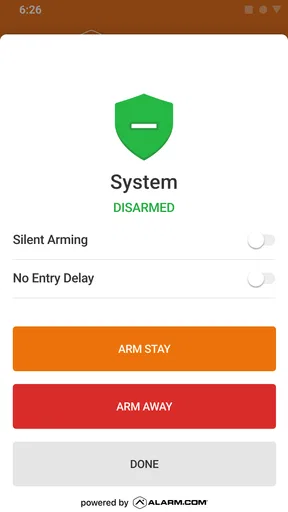
The central benefit is having a phone-based view of the home system instead of relying only on a keypad or separate controls. When I am away, being able to check the system and use the controls available to my setup can make small decisions easier: I can check a door, review an alert, or adjust a connected setting without turning a minor doubt into a trip back home.
That convenience is also a useful change in how I think about security. A notification is most helpful when it gives me a reason to take a sensible next step, not when I treat every alert as proof that something is wrong. I would use the app as a way to stay informed and check the system, while keeping the usual judgment that a phone alert cannot tell me the whole story by itself.
Welcome to a Smarter Home
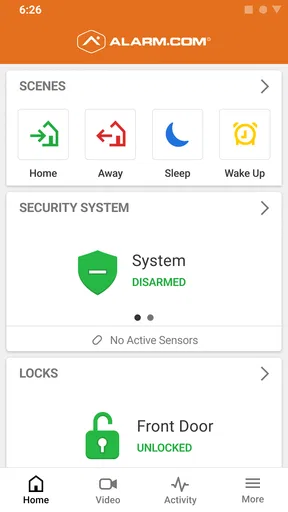
First up, let’s chat about what Alarm.com actually does. This app is your go-to for managing all things related to home security and automation. Imagine controlling your lights, locks, thermostat, and even your security cameras from just one place. Yep, it’s that cool.
Setting Up: Easier Than You Think
Now, I know what some of you might be thinking: "Another app to set up?" But trust me, it’s a breeze. The installation process is straightforward, and the app walks you through every step. You’ll need to set up an account, which is as simple as entering your email and creating a password. Once you’re in, the app guides you through connecting your devices. It’s like having a tech-savvy friend right by your side.
In real life, I would first check that the home’s Alarm.com service and equipment are ready, then sign in and confirm what controls appear for that particular setup. That order matters: the app is a control point for a connected system, not a substitute for the system itself. If you are setting it up for a household, it is worth deciding who needs access and what each person should know before relying on the app while away. A quick practice run at home can reveal whether everyone understands where to check the system and how to respond to a notification.
Features Galore
Once you’re all set up, it’s time to explore. Here’s a peek at some of the standout features:
Worth Reading Before You Choose

EA SPORTS FC Mobile 26 Is a Bigger Football Game, but It Takes Time

Flipboard Shows What News Apps Must Do Beyond the Feed

Switching to Android Auto Means Rethinking Your Driving Routine

Google Calendar Makes a Crowded Week Easier to Manage

Ludo King Makes the Most of the Minutes Between Plans

Baby Panda World Brings Quick Play to Modern Phones, but Its Game Library Feels Busy
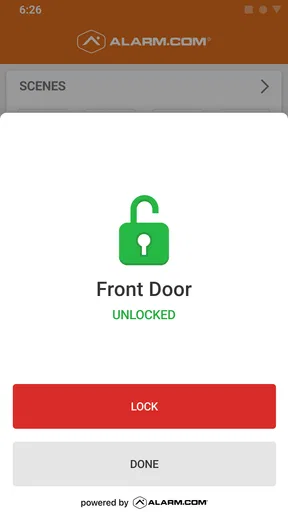
- Remote Control: Control your home’s systems from anywhere. Forgot to lock the door? No worries. Do it from your phone!
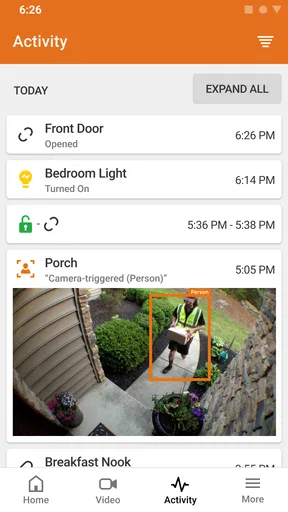
- Real-Time Alerts: Get notifications for any suspicious activity. Whether it’s a door opening or motion detected, you’re always in the loop.
- Smart Thermostat: Adjust your home’s temperature from your phone. Perfect for those "did I leave the AC on?" moments.
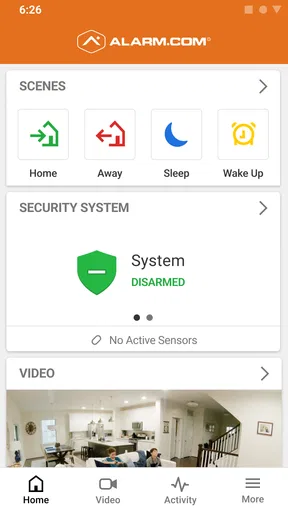
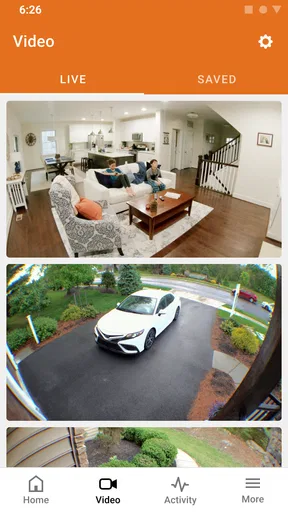
- Video Monitoring: Check in on your home with live video feeds. Feel connected even when you’re miles away.
The important distinction is that these controls depend on what is connected to the account and system. I would not assume every household sees the same equipment or options. Before building a routine around a particular control, I would open the relevant screen and confirm it is available in that home. That small check can prevent frustration later, especially if more than one person expects the app to handle the same task.
User Experience: Clean and Intuitive
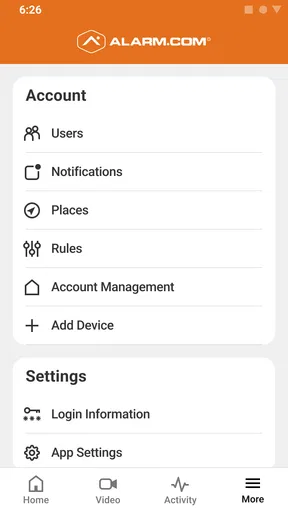
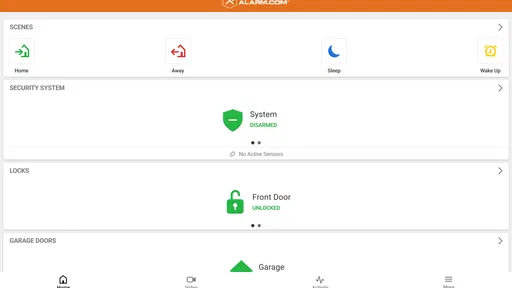
Navigating the app is a piece of cake. The interface is clean, with all the main features accessible from the home screen. There’s no clutter, just a simple design that makes sense. Plus, the app’s responsive, so whether you’re using it on Android or iOS, you’ll have a smooth experience.
For everyday use, I find the best habit is to make the app part of a simple check-in rather than constantly watching it. For example, before leaving for a weekend away, I could check the system status, review any relevant alerts, and confirm the controls I normally use. On returning, I can look at what happened during the trip if the system surfaced activity. That approach makes the phone useful without turning home security into an all-day distraction.
Integration: Your Home, Your Way
One of the coolest things about Alarm.com is its ability to integrate with other smart home devices. Whether it’s Amazon Alexa or Google Assistant, you can connect and control everything with voice commands. It’s like living in the future!
I would still keep the app as the place to check the actual system state, rather than relying on a voice command as my only confirmation. Voice control can be convenient when my hands are full, but for a security-related action I prefer to look for a clear on-screen status afterward. That is a practical trade-off: an extra glance takes a moment, but it helps me avoid assuming a command worked simply because I spoke it.
Security: Peace of Mind
Let’s be real, security is a big deal. With Alarm.com, you’re not just getting convenience but also peace of mind. The app offers robust security features, ensuring all your data is safe and sound. Plus, with professional monitoring options, you know help is always just a tap away.
I would be careful not to confuse app access with a complete security plan. A phone can help me check in and act on available controls, but I still need to understand the service and equipment supporting the home. If someone in the household is uncomfortable using a smartphone, they should have a familiar way to handle essential tasks too. The app works best as an added route to the system, not as the only route everyone is expected to use.
Little Extras: Making Life Simple
Apart from the main features, there are little extras that make life simple. For instance, geo-services allow the app to automatically adjust settings based on your location. Left home? The app can automatically lock doors and adjust the thermostat. It’s like having your personal home assistant!
Location-based automation is most useful when I treat it as a convenience to test, not something to trust blindly from day one. I would try a low-stakes routine first and see whether it matches how the household comes and goes. Shared phones, visitors, or a change in routine can make an automatic action less predictable than it sounds. If a setting affects comfort or access, I would keep an easy way to check and correct it rather than assuming the location trigger always reflects everyone’s plans.
Where it fits among home-control options
Compared with a collection of separate manufacturer apps, a connected Alarm.com setup can offer a more unified place to check security and related home controls. That matters most if the household already uses the system and wants fewer separate stops for everyday tasks. A general smart-home hub may be a better fit for someone starting from scratch with a mix of devices and no existing Alarm.com service; this app is most compelling when it complements the system rather than when someone expects it to replace every other home app.
It is also different from a basic camera viewer. The emphasis is broader than looking at a video feed: the app is intended to help a user check in on a security system and use connected controls. Still, people whose only need is viewing one standalone camera may prefer that camera’s own app, especially if they do not need the wider system. I would choose based on the equipment already in the home, not on the promise of managing everything from one screen.
A realistic day with the app
Imagine leaving for work and wondering whether the house was set as intended. Instead of turning around, I can open the app, check the system, and use any relevant control available to me. If an alert arrives later, I can look at it in context and decide whether it calls for action. When I get home, I can make a quick check rather than trying to remember every detail of the morning departure. The benefit is not dramatic automation; it is fewer unnecessary doubts and a more direct way to respond.
For a household, I would agree on a small routine: who checks alerts, which notifications deserve attention, and how to reach someone else if a situation needs a human response. That is a more useful preparation than turning on every possible alert and hoping the phone will explain what to do. Notifications are only helpful when the people receiving them understand their role.
Who will appreciate it, and who may not
I would recommend the app most readily to people who already have an Alarm.com-connected security setup and want to check it while away. It can be especially useful for a household where one person travels, someone else needs to confirm the home is set, or a family wants a shared way to stay aware of system activity. The service has a 4.2 average from around 38,000 ratings, and it has been installed over a million times, but those figures do not tell me whether it suits a particular home; compatibility and daily habits matter more.
I would steer someone away if they only want a generic smart-home controller, have no related Alarm.com system, or expect the app alone to provide equipment and service. It is also not the ideal choice for a person who dislikes phone-based controls or wants one app to manage unrelated devices regardless of brand. The app is free, rated for Everyone, and has been available since April 19, 2010; I would still decide based on the connected home and service rather than the download cost or its long history.
Small checks that prevent bigger annoyances
A practical tip is to verify the system’s status before leaving instead of using the app only after a worry appears. Another is to review how alerts fit into the household routine: a notification that no one sees or understands does not improve safety. If you rely on remote controls, try them while you are still at home so you know where the relevant screen is and what confirmation to look for. These habits make the app more dependable in practice without requiring constant attention.
Readers often wonder whether the app works without a connected service, whether every smart device will appear, and whether it replaces a security provider or camera app. My answer is to think of it as the mobile interface for a compatible Alarm.com system: what you can control follows what that setup supports. It is not a universal bridge for every device, and I would not treat a phone app as a replacement for understanding the service behind the system. If you are choosing a home setup, confirm the equipment and service fit your needs first, then judge the app by how clearly it supports the tasks you actually do.
So, would I recommend Alarm.com? Absolutely! Whether you’re a tech newbie or a smart home pro, this app has something for everyone. It’s more than just a tool; it’s a gateway to a smarter, more secure lifestyle. Give it a try, and you might just wonder how you ever lived without it!
Pros
- Intuitive user interface for easy navigation.
- Comprehensive security features included.
- Seamless integration with smart devices.
- Reliable real-time alerts and notifications.
- Customizable automation settings available.
Cons
- Subscription required for full features.
- Occasional connectivity issues reported.
- Limited functionality without additional devices.
- Complex setup for non-tech users.
- Some features exclusive to certain regions.
FAQs for Alarm.com
What is Alarm.com and how does it work?
Alarm.com is a comprehensive security and automation app that provides users with remote access to their home security systems. Through the app, you can monitor security cameras, control smart home devices, and receive real-time alerts. It connects with various smart devices, allowing you to control everything from the palm of your hand.
Is Alarm.com compatible with all smart devices?
Alarm.com is compatible with a wide range of smart devices, including security cameras, smart locks, thermostats, and lighting systems. However, it's essential to check the specific compatibility of your devices with Alarm.com's platform as some older models might not be supported. The app frequently updates to support new devices.
Does Alarm.com require a subscription?
Yes, Alarm.com typically requires a subscription service provided by a security dealer. The subscription cost varies depending on the services and features you choose. This subscription covers monitoring services and access to the app's features, ensuring you receive real-time updates and professional support when needed.
How secure is the Alarm.com app?
Alarm.com takes security seriously, employing encryption and other cybersecurity measures to protect user data. The app also provides two-factor authentication, ensuring that only authorized users can access the system. Regular updates and security patches further enhance its reliability and safety.
Can I customize notifications and alerts on Alarm.com?
Yes, Alarm.com allows users to customize notifications and alerts to fit their preferences. You can set up alerts for specific events, such as motion detection or door access, and choose how and when you want to be notified. This flexibility ensures that you stay informed without being overwhelmed by unnecessary alerts.


